

Is Indoor Golf Good for Beginners? What to Expect at Your First Simulator Session
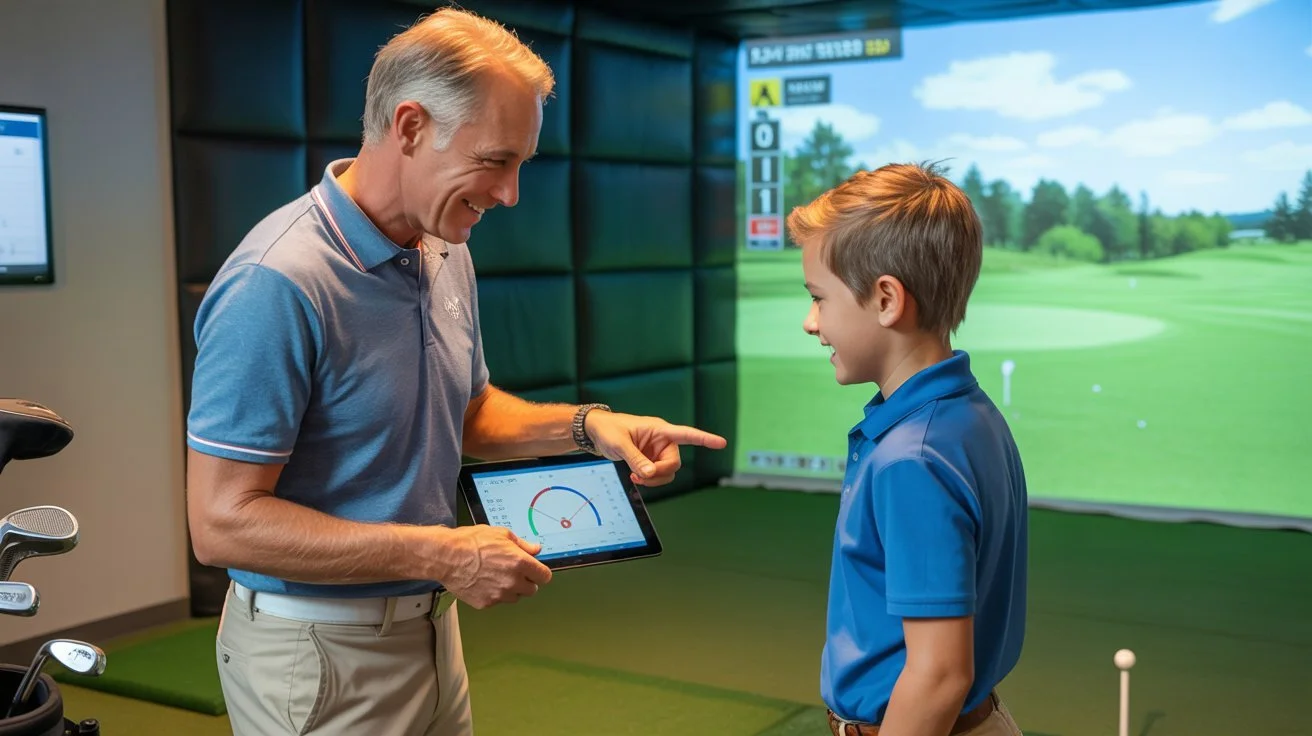
Trying golf for the first time can feel intimidating. You might be unsure how to hold a club, which shots to practice, or what to do when you arrive at a golf facility. If you are new to the game, an indoor golf simulator can offer a different way to get started without needing to play a full round on a traditional golf course.
Indoor golf allows beginners to hit real golf balls toward a simulator screen and see a virtual representation of their shots. Depending on the simulator's features, you may also be able to explore virtual golf courses, review shot information, and practice at your own pace.
For Orange County beginners, FlagStix Golf Club in Villa Park offers a private indoor golf environment featuring TrackMan iO simulator technology. Whether you want to try golf for the first time or become more comfortable before playing outdoors, understanding what to expect can help make your first session less intimidating.
Is Indoor Golf a Good Choice for Beginners?
Yes, indoor golf can be a useful starting point for beginners because it gives them an opportunity to become familiar with the game in a dedicated indoor setting.
You do not need to be an experienced golfer to begin learning the basics. Your first session can focus on simple things, such as holding the club comfortably, making contact with the ball, understanding how different clubs feel, and becoming familiar with the simulator.
Indoor golf may be particularly appealing if you feel nervous about playing in front of more experienced golfers. A private simulator environment can offer a more personal setting in which to become comfortable with the basic movements of the game.
However, a simulator is still a golf practice environment. You may miss shots, hit the ball inconsistently, or need time to understand the equipment. That is completely normal when learning a new skill.
The goal of your first session should not be to produce perfect shots. Instead, focus on learning the basics and enjoying the experience.
If you want to learn more about the indoor golf experience at FlagStix, visit the FlagStix Golf Club website to explore the facility and its approach to indoor golf.
What Happens During Your First Golf Simulator Session?
Your first visit does not need to be complicated. Knowing the general process beforehand can help you feel more prepared.
1. Get Familiar With the Simulator Bay
An indoor golf simulator bay is the area where you stand, swing the club, and hit the ball toward the screen. The simulator then displays the resulting shot within its software.
Before swinging, take a moment to understand the space around you. Identify the hitting area, the screen, the available equipment, and the position from which you should hit.
Make sure you have enough room to swing safely and that nobody is standing close to your club or within the hitting area.
If you have questions about using the facility or accessing the simulator, ask FlagStix about its current procedures before your visit.
2. Start With Simple Shots
Beginners often feel pressure to hit the ball a long distance. In reality, distance should not be your first priority.
Start with a comfortable stance and a manageable swing. Concentrate on making contact with the ball rather than trying to swing as hard as possible.
Your first few shots may travel shorter distances than you expect. Some may go in an unexpected direction, while others might not make clean contact at all.
This is a normal part of learning golf.
Give yourself time to understand how the club moves and how the ball responds. As you become more comfortable, you can gradually experiment with different clubs and shots.
3. Learn What the Simulator Screen Shows
Modern golf simulators can display information about the shot you have just hit. FlagStix uses TrackMan iO technology, which captures information about ball flight and club impact.
At first, the amount of information on the screen may seem overwhelming. You do not need to understand every measurement during your first session.
Start with the information that is easiest to understand, such as how far the ball travelled and where it went relative to your target.
Once you become familiar with the basics, you can gradually explore additional measurements and learn how they relate to your swing.
For a more detailed explanation of the technology, read FlagStix's guide to What Is TrackMan iO and How Accurate Is It for Indoor Golf in Orange County?.
The important thing to remember is that simulator data is a tool for learning. You do not need to analyze every number to enjoy your first experience.
4. Try a Simple Practice Activity
Once you have hit a few comfortable shots, choose a straightforward activity rather than attempting to master every part of golf.
You could spend time hitting shots toward a target, becoming familiar with one club, or exploring a suitable simulator practice mode.
If the simulator offers different games or virtual courses, you can ask about the available options and choose one that matches your comfort level.
Keep your first session simple. Becoming familiar with the equipment and building confidence can be more useful than trying to complete a complicated practice routine immediately.
What Should Beginners Bring to an Indoor Golf Session?
Preparing a few things before your visit can make the experience easier. However, specific equipment requirements and facility policies can vary, so confirm the details with the facility you plan to visit.
Golf Clubs and Equipment
If you already own golf clubs, ask whether you should bring your own set and whether any particular equipment requirements apply.
If you do not own clubs yet, contact the facility before your visit to ask what options are available. Do not assume that rental clubs or other equipment are automatically provided.
You do not need to purchase an extensive collection of golf equipment simply to begin learning. Start with the equipment you can access and become comfortable with the basics before deciding what else you may need.
Comfortable Clothing and Suitable Footwear
Choose clothing that allows you to move freely and swing a club comfortably.
Before visiting, ask about the facility's footwear and dress requirements. Following the facility's guidance helps ensure that you arrive prepared and can focus on your session.
A Simple Goal for Your First Visit
You do not need a complicated training plan for your first simulator experience.
Instead, choose one or two simple goals. For example, you might want to learn how to hold a club, make more consistent contact with the ball, or understand how the simulator displays your shots.
Having a basic objective can help you stay focused without feeling that you must learn everything at once.
Five Tips to Make Your First Indoor Golf Experience Easier
Your first session is an opportunity to learn, experiment, and become comfortable with the game. These practical tips can help you get more out of the experience.
1. Focus on Contact Before Distance
It is tempting to swing harder in the hope of hitting the ball farther. However, beginners usually benefit from concentrating on making comfortable, controlled contact first.
A balanced swing with reasonable contact gives you a better starting point than repeatedly trying to produce maximum distance.
2. Take Your Time Between Shots
You do not need to hit one ball immediately after another.
Pause between swings, look at the result, and think about what you noticed. You might recognize that a slower swing feels more comfortable or that your stance changes when you become tired.
These small observations can help you understand your starting point.
3. Do Not Worry About Every Number
Simulator technology can provide detailed shot feedback, but reviewing every measurement can distract you from learning the basics.
Start with a simple question: Did the ball travel where you expected?
As your confidence grows, you can explore additional data and learn how to use it to guide your practice.
4. Make Safety a Priority
Always make sure the hitting area is clear before swinging. Keep other people away from the club's path, avoid swinging when someone is close by, and follow the facility's instructions for using the simulator.
If you are sharing a session with friends or family, take turns and make sure everyone knows when it is safe to enter the hitting area.
A relaxed environment should still be a safe one.
5. Measure Success by What You Learn
You might not hit every shot cleanly during your first session. That does not mean the experience was unsuccessful.
If you finish understanding the simulator a little better, feeling more comfortable holding a club, or recognizing something you want to practice next time, you have made progress.
Learning golf takes time, and every golfer starts somewhere.

How Can Beginners Use TrackMan iO?
TrackMan iO is an indoor golf simulator technology that provides information about shots and their results. For beginners, the main advantage is the opportunity to observe what happens after hitting the ball and use that feedback to guide future practice.
You do not need advanced golf knowledge to start using a simulator. You can begin by observing basic shot results and gradually become familiar with additional information.
For example, you might pay attention to carry distance, which describes how far the ball travels through the air before landing. You can also observe the direction of your shots and whether your contact becomes more consistent as you practice.
As you gain experience, you may find it useful to review more detailed measurements and look for patterns across multiple shots.
The key is to avoid judging your entire golf game by one result. A single good shot does not mean you have mastered a skill, and one poor shot does not mean your practice has failed.
If you want to understand how simulator feedback can support a more structured approach, explore FlagStix's article on how to improve your golf game with a simulator.
What Should You Practice During Your First Session?
A first session is easier to manage when you divide it into a few simple activities instead of trying to learn everything at once.
Begin With a Short Warm-Up
Start slowly and give yourself time to get comfortable with the club and hitting area. Make a few controlled swings and focus on balance and contact.
There is no need to begin with your most powerful swing or the most difficult club in your bag.
Practice One Club at a Time
Choose a club that feels manageable and use it to become familiar with the simulator.
Pay attention to how the club feels, how you make contact, and how the ball travels. When you feel ready, you can try another club and observe the differences.
This approach can help you learn without introducing too many variables at once.
Finish by Reviewing What You Learned
At the end of your session, think about what felt comfortable and what you would like to practice next time.
You might have discovered that your contact was more consistent with a particular club or that you need more time to become comfortable with your stance.
If you want a more structured session after your first visit, FlagStix has a 60-minute golf simulator practice plan for Orange County golfers that you can explore as you become more familiar with simulator practice.
You do not need to follow an advanced routine immediately. Let your goals develop as your confidence grows.
Is a Private Indoor Golf Facility Suitable for New Golfers?
A private indoor golf environment may appeal to beginners who prefer a dedicated space to focus on learning the game.
Without the need to play a full outdoor round, you can concentrate on individual shots and become familiar with the basic elements of golf. You can also take your time understanding the simulator and deciding which parts of your game you want to work on.
However, every facility has its own policies, booking arrangements, and equipment requirements. Beginners should review those details before visiting rather than assuming that all indoor golf venues operate in the same way.
Getting to Know FlagStix Golf Club
FlagStix Golf Club is located in Villa Park, California, and offers a private, members-only indoor golf environment featuring TrackMan iO technology.
The club's approach emphasizes a dedicated setting for golfers who want to practice and play. Beginners who are considering the facility can explore the About FlagStix page to learn more about its environment and philosophy.
Before planning your first visit, contact the team to ask about current access arrangements, reservations, equipment requirements, and the process for arranging a walkthrough.
You can reach the team through the FlagStix Contact page.
For golfers researching indoor golf options around Orange County, FlagStix also has location pages for Orange, Yorba Linda, Anaheim, and Anaheim Hills. These pages provide additional location-specific information for readers exploring the club's service areas.
Frequently Asked Questions
Is indoor golf suitable for someone who has never played golf?
Yes. Indoor golf can give beginners an opportunity to learn basic golf movements and become familiar with simulator technology. You can start with simple shots and gradually build confidence without needing to play a full round.
Do I need to know how to use a golf simulator before visiting?
You do not need to be an experienced simulator user to begin learning. It is helpful to understand the basic purpose of the hitting area and screen, and you can ask the facility about its procedures before your visit.
Do I need to bring my own golf clubs?
Equipment policies vary by facility. Contact FlagStix before your visit to confirm whether you should bring your own clubs and whether any other equipment options are available.
What should I focus on during my first simulator session?
Start with making comfortable contact, learning how the simulator works, and observing basic shot results. You can explore more detailed performance information as you become familiar with the experience.
Can beginners use TrackMan iO?
TrackMan iO can be used as a practice tool by golfers at different experience levels. Beginners can start by observing basic shot results and gradually explore additional measurements as they learn more about golf.
Take Your First Step Into Indoor Golf
Starting golf does not require you to know everything about the game. Your first simulator session is an opportunity to become comfortable with the equipment, learn how shots behave, and discover what you would like to practice next.
Begin with simple goals, focus on controlled swings, and treat the simulator's feedback as a learning tool rather than a test. As you gain experience, you can build a more structured routine and explore different ways to develop your skills.
For Orange County golfers interested in a private indoor golf environment, FlagStix Golf Club in Villa Park offers a members-only setting featuring TrackMan iO technology.
Visit the FlagStix website to learn more about the club, or contact the team to ask about access arrangements, equipment requirements, and how to arrange a visit.
